
Already registered on 966PK? Logging in takes ten seconds. Open the app, enter your details, and you are straight back into your games, balance, and bonuses.
Here is everything you need to know about the 966PK login process.
966PK Game Login Guide for Beginners
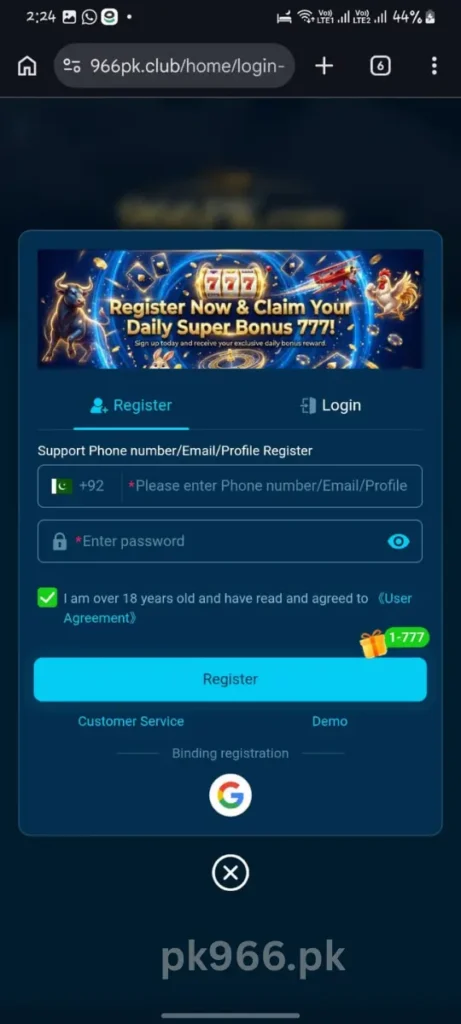
Step 1 — Open the App Tap the 966PK icon on your home screen. The app loads directly to the login screen.
Step 2 — Enter Your Mobile Number Type in the Pakistani mobile number you used during registration. Make sure there are no extra spaces or missing digits.
Step 3 — Enter Your Password Type your password. Tap the eye icon if you want to check what you are typing before confirming.
Step 4 — Tap Login Hit the Login button. Your account loads instantly and you are in.
That is the entire process. No OTP required for regular logins just your number and password.
Forgot Your Password?
It happens. Here is how to reset it quickly:
- Tap Forgot Password on the login screen
- Enter your registered mobile number
- Receive an OTP via SMS
- Enter the OTP to verify your identity
- Set a new password
- Log in immediately with the new password
The whole reset takes under two minutes.
Common Login Problems and Quick Fixes
Wrong password error Double check caps lock is off. Passwords on 966PK are case sensitive. If unsure use the Forgot Password option to reset.
Account not found Make sure you are entering the exact mobile number used during registration. Try with and without the country code if unsure.
OTP not received during password reset Check your network signal. Make sure your number is active and receiving SMS. Wait 60 seconds before requesting a new OTP.
App not loading the login screen Check your internet connection. Close the app completely and reopen. If the issue continues uninstall and reinstall using a fresh APK from the official 966PK website.
Account temporarily locked Multiple failed login attempts can trigger a temporary lock. Wait 10 to 15 minutes and try again. If the issue persists contact 966PK support directly through the app.
How to Stay Logged In
966PK keeps you logged in automatically between sessions on the same device. You do not need to enter your details every time you open the app unless you manually log out or uninstall.
If you share your phone or use multiple devices always log out after each session to keep your account secure.
Keep Your Account Secure
A few simple habits protect your 966PK account long term:
- Never share your password with anyone — including people claiming to be 966PK support
- Do not use the same password you use for JazzCash or Easypaisa
- Change your password every few weeks if you are a regular user
- Only log in through the official 966PK app — not through third party links or websites
- If you notice any unfamiliar activity on your account contact support immediately
Login on a New Device
If you get a new phone or reinstall the app simply download the latest APK from the official 966PK website, install it, and log in with your existing mobile number and password. Your account, balance, bonuses, and referral data are all saved on the server. Nothing is lost when you switch devices.
Final Word
966PK game login is as simple as it gets your mobile number, your password, one tap. If you ever run into issues the Forgot Password option solves it in two minutes and the 24/7 support team is always available inside the app for anything more complex.
Get in, claim your daily login bonus, and play.